Detectors
Using Detectors
After running a ZK Vanguard detector, you will be able to see the findings of the detector under "Tool Findings" in the "Tool Findings & Issues" panel below the code viewer.
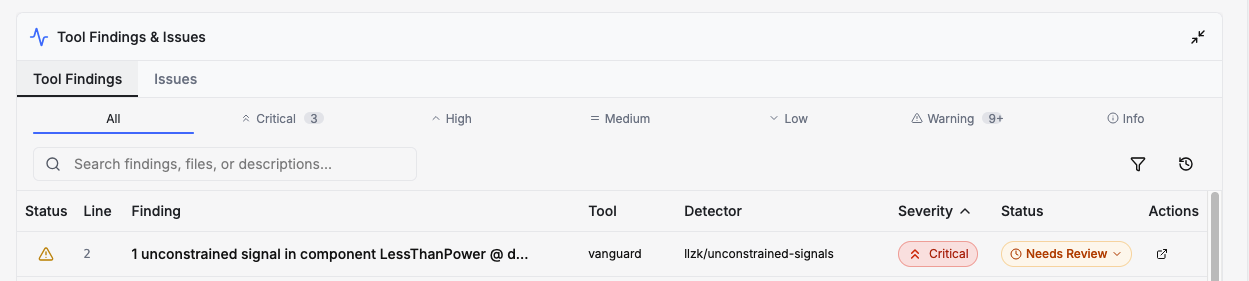
Clicking on the "Status" drop-down will allow you to confirm the issue as a true bug or mark the issue as a false alarm if you believe the detector's finding is not a true finding (see the following detector documentation to learn more about the limitations of each detector). You can also click on the issue to see a detailed description, which will contain file and line number links you can use to jump to the finding's location in the code viewer.
Available Detectors
ZK Vanguard is equipped with the following set of detectors:
Compute or Constrain Detectors
These detectors independently operate on both witness-generation operations and constraints in the circuit. These detectors will operate on LLZK files that contain only constraints as well.
Out-Of-Range Signals
Finds signals that may be assigned a value outside of their desired range.
Unused Fields
Finds unused fields within structures/circuit components.
Compute and Constrain Detectors
These detectors require witness-generation operations and constraints in the circuit to function.
Compute-Only Detectors
These detectors identify issues specific to witness generation.
Divide By Zero
Finds potential divide-by-zero errors.
Signal-Dependent Control Flow
Detects control flow that is conditional on signal-derived values.
Constrain-Only Detectors
These detectors identify issues specific to circuit constraints.